



Hotel Wi-Fi has become the standard for anyone traveling, whether for business or leisure.
It allows guests to stay connected to email and streaming services, and browse the web or social media with ease.
While this common amenity is the pinnacle of convenience, it’s also the source of countless hidden risks.
Public networks inside hotels are among the most common targets for attackers who know visitors will connect without a second thought.
That’s why we’ve put this guide together for you. Understanding these risks and potential dangers clearly is one of the best ways to keep yourself safe online.
In this post, you’ll learn what threats are out there waiting and how to minimize your exposure to them.
You’ll be ready to use hotel Wi-Fi with less trepidation.
Biggest Risks of Hotel Wi-Fi
When you connect to a hotel’s Wi-Fi, you widen the attack area for cybercriminals.
Some of the potential traps and hazards out there include:
- Fake SSIDs: Attackers set up “Evil Twin” hotspots with the same SSID as the hotel’s, tricking guests into joining.
- Snooping and sniffing: Without proper encryption, others on the network can intercept traffic and collect data.
- Captive portals: Fraudulent login pages may request unnecessary personal details or deliver malware.
- Session hijacking: Hackers can steal active logins to email, banking, or work apps, gaining unauthorized access.
- Device exposure: Shared networks make laptops and phones visible to probing or malicious software.
- False sense of safety: Because a hotel provides the Wi-Fi, guests may trust it more than they should.
Simple Safety Tips for Travelers
Even when facing risks like these, travelers can take simple, actionable steps to make their average hotel stay more secure, from a Wi-Fi standpoint.
First and foremost, always confirm the official network name and password with the front desk before connecting.
If there are duplicate SSIDs, do not connect to either, as there’s no way to verify which one is legitimate.
When connected, avoid any type of sensitive activity.
Try not to conduct any banking, confidential work, or other activity where sensitive or personal information might become exposed to eavesdroppers.
If you have to use hotel Wi‑Fi, switch on a trusted VPN first to encrypt your traffic and reduce snooping or session‑hijacking risks.
Next, make sure you turn off any “auto-connect” features so they don’t simply join a network just because it’s open and within range.
Going along with it, be sure you turn off additional network features that may open vulnerabilities, like AirDrop, file sharing, and similar tools.
Always update your operating systems, browsers, and apps to patch vulnerabilities.
If you’re on a desktop, make sure you’re using a firewall.
Finally, when you’re done using hotel Wi-Fi, log out of everything, so you end those sessions.
Then, forget the networks so your devices don’t automatically reconnect for some reason.
Safer Alternative: Mobile Data and eSIMs
You can take steps to protect your connection, device, and data on hotel Wi-Fi.
That said, mobile data is typically more secure.
Cellular networks use much stronger encryption than the typical public Wi-Fi network, making them much more resistant to snooping.
When comparing two major providers, like Saily vs Airalo, be sure to compare the most relevant categories head-to-head.
- Coverage: Airalo lists 200+ destinations. Saily highlights coverage across major travel hubs and popular regions; check in‑app availability for your specific itinerary.
- Price: Airalo offers a range of low‑cost local and regional plans. Saily offers straightforward flat‑rate pricing in supported locations.
- Activation speed: Both activate in minutes; Airalo supports QR/app installs, and Saily highlights a one‑tap setup for convenience.
For many travelers, choosing an eSIM provider depends on the destination, trip length, and secure data needs.
In most cases, mobile data provides a safer alternative to hotel Wi-Fi for sensitive work.
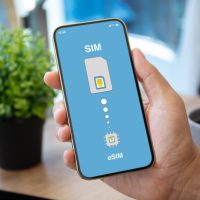
To use an eSIM, travellers generally only need a local or regional plan before heading out on a trip.
It can be activated instantly.
This approach completely avoids the risks generally attributed to hotel Wi-Fi.
Safer Connections for Safer Trips
Hotels are a part of life away from home, and while the Wi-Fi might be both fast and free, it can expose you to risks.
We’ve shown how an average traveler can minimize these risks.
Methods like VPNs, firewalls, and eSIMs for mobile data can all help keep you safer.
Keep your connections secure so you can focus on leisure.
When in doubt, default to mobile data for anything sensitive and only hop on hotel Wi-Fi when convenience outweighs the risk.
Be wary of captive portals that ask for extra permissions or offer downloads—skip them and navigate directly to the sites and apps you trust.
Do a quick pre-trip check: install updates, disable auto-join and sharing features, and confirm your VPN is working.
With a few smart habits and the right tools, you can enjoy the convenience of hotel stays without sacrificing security.

















Did you encounter any specific incidents with hotel Wi-Fi that made you more aware of these risks? It seems like many travelers just take it for granted, but with everything you mentioned, it almost feels like a ticking time bomb when we connect.
When my phone auto-connected to two networks both called “Hotel_Guest” last week and I felt uneasy, what’s a quick trick you use to spot which one is fake?
The article says there’s no way of knowing, but I’m curious if there is a way.
I almost got caught on a fake hotspot at the last hotel I stayed at, so now I always double-check the network name with the front desk before connecting.
Last time I stayed at a hotel, I made sure to double-check the Wi-Fi name at the front desk because I’d heard about those fake networks they set up, and honestly it made me feel a bit less sketchy using their internet.
Last time I stayed, I found it weird that my laptop suddenly saw two networks with the same name, so I just avoided using the hotel Wi-Fi altogether.
I learned the hard way that hotel Wi-Fi can be a minefield, especially when double-checking the network name at the front desk saved me from connecting to a fake hotspot.
Last time I stayed at a hotel, I skipped the Wi-Fi for anything important since I didn’t want to risk someone snooping on my stuff.